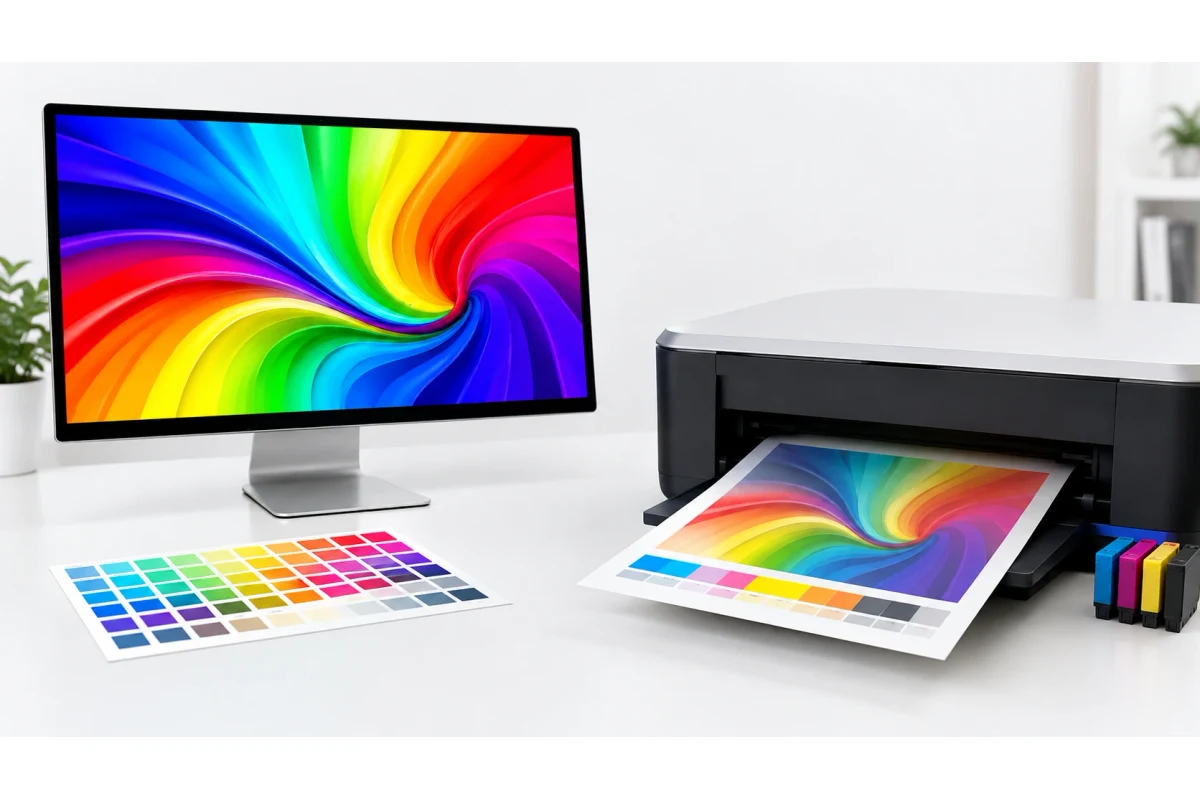
You print a photo, or maybe just a color test page, and the blue looks purple. The green looks muddy. Nothing about it matches what you were looking at on your screen thirty seconds earlier. This isn't a broken printer — it's two completely different ways of making color, and once you understand the gap between them, printed output stops feeling unpredictable.
Your Screen Makes Color With Light. Your Printer Makes It With Ink.
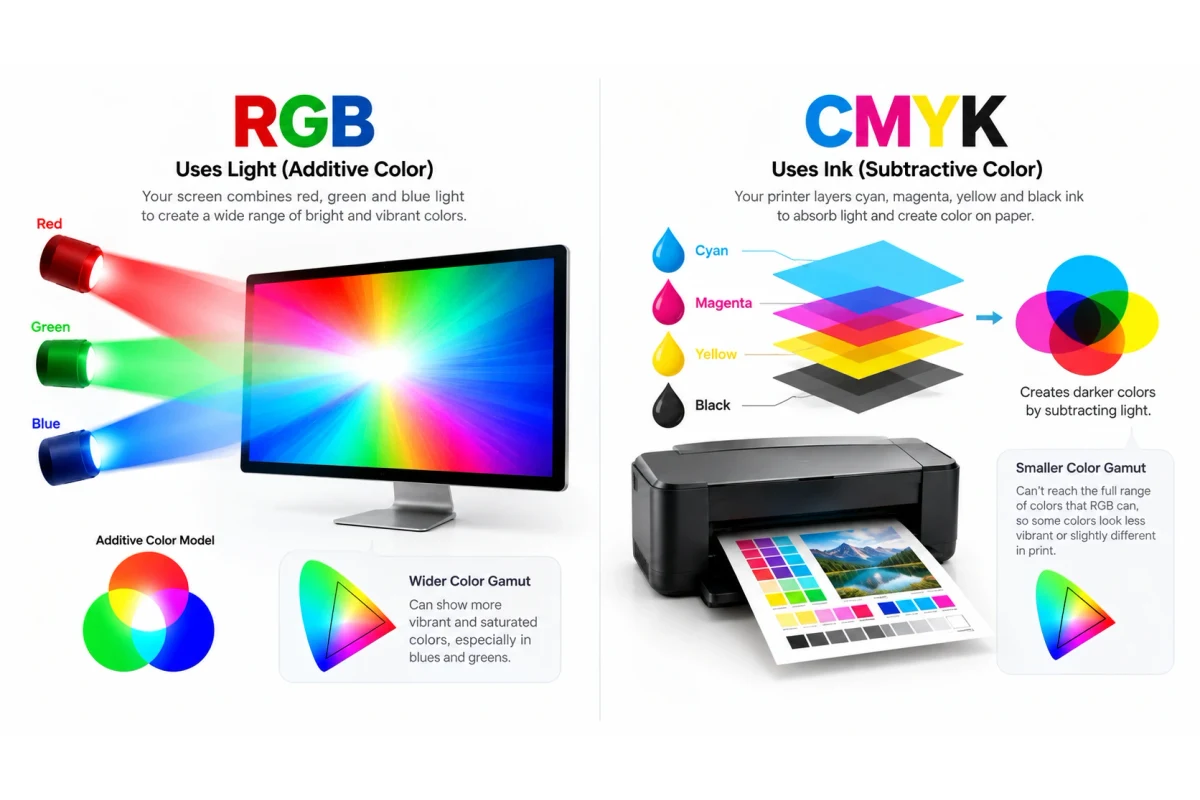
A monitor is a light source. Every pixel is built from red, green, and blue light — RGB — and mixing all three at full strength gives you white, because you're adding light on top of light. That's called an additive color model, and it can produce an enormous range of bright, saturated colors, especially in the blues and greens, because it's not limited by anything except how much light the screen can throw at your eyes.
A printer does the opposite. It starts with white paper and adds ink to subtract light — each layer of ink absorbs some wavelengths and reflects the rest. Combine cyan, magenta, and yellow ink at full strength and, in theory, you'd absorb almost everything and get black. In practice, real ink isn't pure enough to do that cleanly, which is why a fourth ink — K, for key (black) — gets added for true blacks and sharp text. That's CMYK: cyan, magenta, yellow, key.
Why This Means Printed Colors Never Match the Screen Exactly
RGB and CMYK aren't just two names for the same range of colors — they cover genuinely different ground. RGB's range (its "gamut") is bigger, particularly for neon greens, electric blues, and saturated purples. CMYK's gamut is smaller and shaped differently. When a color you designed or photographed sits inside RGB's range but outside CMYK's, your printer has no ink combination that can reproduce it exactly. It substitutes the closest color it can make, and that substitution is what you're seeing as "off."
A few patterns show up constantly because of this:
- Bright blues print looking purple or grayish — deep blue is one of the hardest colors for CMYK to reach, since it needs a very heavy, precise mix of cyan and magenta.
- Neon and highlighter colors print dull — anything that relies on RGB's light-based saturation has no real ink equivalent.
- Skin tones shift slightly warm or pink — small errors in the cyan/magenta/yellow balance show up fastest in tones the eye already knows well.
- Everything looks a touch duller overall — ink on paper simply reflects less light back at you than a backlit screen does, even when the color mix is correct.
| Model | How it works | Where you see it | Typical range |
|---|---|---|---|
| RGB | Adds red, green, blue light | Monitors, phones, cameras, TVs | Wider, especially in blues/greens |
| CMYK | Subtracts light using cyan, magenta, yellow, black ink | Anything printed | Narrower, shaped differently than RGB |
Why a Color Test Page Uses CMYK Bars, Not RGB Ones
When you run a color printer test page, the bars you're checking are cyan, magenta, yellow, and black — because those are the actual physical inks or toner sitting in your printer. Checking RGB bars wouldn't tell you anything useful about the hardware; your printer doesn't have red, green, or blue cartridges. If one CMYK bar looks faint, streaky, or missing entirely, that maps directly to a specific cartridge or toner color you can act on, which is the whole point of the test.
This is also why a photo can look perfect in your phone's gallery and slightly flat once printed: the photo was captured and displayed in RGB the entire time, and only gets converted to CMYK at the exact moment it hits the page. If you want a more forgiving read on that conversion, our printer photo test page is built around realistic image content rather than flat color bars, which makes gamut mismatches like this easier to spot at a glance.
What Actually Helps (and What Doesn't)
You can't fully close the gap between RGB and CMYK — it's a hard physical limit, not a settings problem. But a few things narrow it:
- Use your printer's actual color profile if the app you're printing from supports it (many photo editors and design tools do). This tells the software how your specific printer converts RGB to CMYK, rather than using a generic guess.
- Don't chase pixel-perfect matching on a standard inkjet or laser printer — that level of accuracy is really only achievable with professional color-managed printing workflows and calibrated monitors.
- Print quality settings matter more than people expect — draft or economy modes use less ink per color, which pushes output further from the true CMYK mix and makes the RGB gap look worse than it is.
- If everything looks uniformly wrong, not just the hard-to-reproduce colors, that's usually a printer problem (low ink, a clogged nozzle, bad alignment) rather than a CMYK/RGB limitation — worth ruling out with a full color test print first.
Frequently Asked Questions
Is CMYK "worse" than RGB?
Not worse, just different and more limited in range. RGB is built for light-emitting screens and can produce colors ink physically can't reproduce on paper. CMYK is built around how real ink absorbs and reflects light, which is a smaller but still very usable range for everyday printing.
Why does my printer still use RGB in some settings menus?
Your computer and printer driver often talk to each other in RGB right up until the final conversion step, since that matches how the image was created and displayed. The actual ink laid down on the page is always CMYK — the RGB values just get translated at print time.
Can I make my printer output pure RGB colors instead?
No. RGB describes light, and a printer doesn't emit light — it can only combine physical ink or toner. Any RGB color has to be converted to the closest achievable CMYK mix before it reaches the page.
Why does a color look fine on a cheap inkjet but off on a laser printer (or vice versa)?
Inkjet and laser printers use different colorants (liquid ink vs. toner powder) with different reflective properties, and often slightly different CMYK gamuts of their own. Two printers can both be "correct" and still produce visibly different versions of the same file.
Related Guides
- Color Printer Test Page
- Printer Photo & Image Test Page
- Printer Color Calibration Guide
- Ink vs Toner: Why Test Pages Look Different
- Blue Test Page — the hardest secondary color for CMYK to reproduce
- Red and Green Test Pages — the other two CMYK-built secondary colors