Printer Test Page PDF Downloads
Download a free printer test page PDF in A4 or US Letter: color, black and white, nozzle check or alignment. Open the PDF and print it with the scale set to 100% or Actual size, not Fit to page.
Updated
Download a printer test page PDF
Each file is one page, made from the same test sheet as the page on this site, with the paper size set inside the PDF. Pick the size of the paper in your tray.
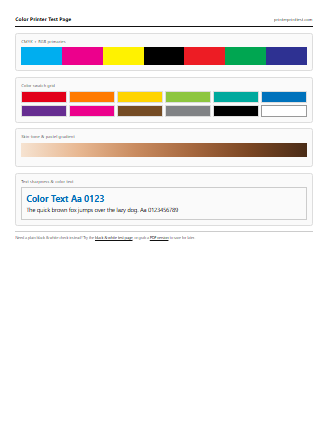
Color test page
CMYK and RGB bars, a swatch grid and gradients for faded, missing or shifted colors.
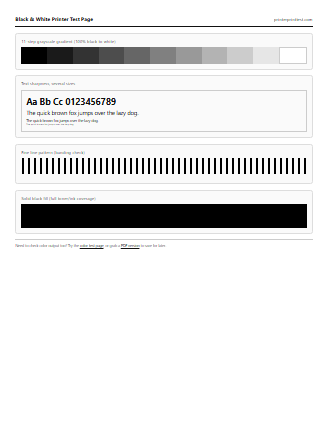
Black and white test page
Gray steps, fine lines, small text and a solid black block for toner and black ink.
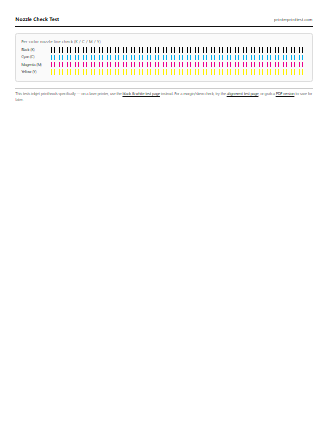
Nozzle check test page
Fine lines in black, cyan, magenta and yellow to spot clogged inkjet nozzles.
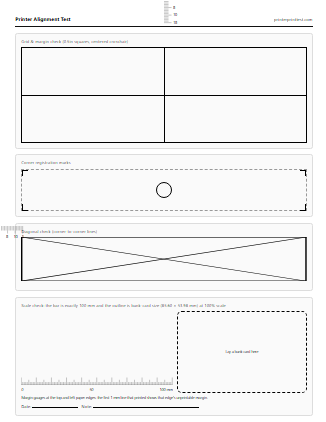
Alignment test page
A 0.5-inch grid, crosshair, corner marks and diagonals to check scale and skew.
How do I print a test page PDF at actual size?
- Download the PDF that matches the paper in your printer: A4 or US Letter.
- Open it in your PDF viewer or browser and press Ctrl+P (Cmd+P on a Mac).
- Set the scale to Actual size or 100%, not Fit or Shrink oversized pages.
- Check that the paper size in the print dialog matches the PDF, then print.
- On the alignment PDF, measure one grid square: it should be exactly 0.5 inch (12.7 mm).
Should I print the PDF or print from the browser?
Either works. The PDF is handy when you want the same sheet every time, to print offline, to send to someone else or to print from a computer without a browser. Printing from the browser lets you switch paper size and, on the single-color and paper size pages, choose a color or sheet size first.
Can I print these PDFs from a phone or tablet?
Yes. Tap the A4 or US Letter button, open the downloaded PDF, then use the share or menu button and choose Print. On an iPhone or iPad that sends it over AirPrint; on Android it uses the built-in print service or your printer brand's print plugin.
Phone print dialogs are simpler than desktop ones, so check two things before you tap Print: the paper size matches the paper in the tray, and there's no "fit" or scaling option turned on. Then measure a grid square on the alignment PDF, as above. How to print a test page from your phone has the full steps for each platform.
How do I save any test page as my own PDF?
Every browser has a built-in "Save as PDF" option inside the normal print dialog, so you can also make a PDF of any other test page on the site, such as a specific paper size.
Open a test page
Go to any test page, such as the photo test page, and pick Letter or A4 sizing.
Open the print dialog
Press Ctrl+P on Windows/Linux or Cmd+P on Mac. Turn on "Background graphics" so the color and gray bars are included.
Choose "Save as PDF"
In the destination/printer dropdown, select Save as PDF (Chrome, Edge, Firefox) or PDF → Save as PDF (Safari on Mac).
Save the file
Choose a location and save. You now have a reusable PDF you can print later without needing an internet connection.
Browser-Specific Notes
Chrome & Edge
Print dialog → Destination → "Save as PDF." Click "More settings" and enable "Background graphics."
Firefox
Print dialog → Printer → "Save to PDF." Background graphics are included automatically.
Safari (Mac)
Print dialog → PDF dropdown (bottom-left) → "Save as PDF." Enable "Print backgrounds" in Safari → Settings → General first.
Keep a printer test page PDF on your computer or phone so you can check a printer anywhere, even without an internet connection, and always print it at 100% or Actual size so the measurements on the sheet stay true.
Frequently Asked Questions
Which PDF should I download, A4 or US Letter?
The one that matches the paper in your printer. US Letter (8.5 × 11 in) is standard in the US and Canada, and A4 (210 × 297 mm) almost everywhere else. Printing an A4 PDF on Letter paper, or the other way round, makes the viewer shrink or crop it.
Do the PDFs include the color bars and gray steps?
Yes. The colors are part of the PDF itself, so you don't need to turn on Background graphics the way you do when printing from the browser.
Why does my PDF test page print smaller than the paper?
The PDF viewer is scaling it to fit. Choose Actual size or 100% in the print dialog instead of Fit or Shrink oversized pages, and check the paper size matches. The alignment test page grid should measure 0.5 inch per square.
Can I share or reprint these PDFs?
Yes. They're free to download, print and share, for home, school or office use.